WaDesk SaaS | AI-Powered WhatsApp CRM, Automation, Chatbot Builder and Bulk Messenger
Wadesk SaaS AI Powered WhatsApp CRM Automation Chatbot Builder and Bulk Messenger
About this product
<p><strong><br> Hello! </strong></p>
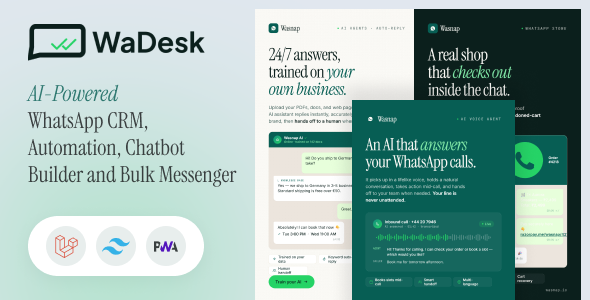
<p><strong>WaDesk SaaS AI-Powered WhatsApp CRM, Automation, Chatbot Builder and Bulk Messenger</strong> — a complete WhatsApp business platform that you host on your own server. It gives your team one place to talk to customers on WhatsApp, run marketing at scale, automate replies, answer calls with AI, and even sell the whole thing to your own clients as a paid subscription service.</p>
<p>It is a full product, not a single-purpose script. In one install you get a shared Team Inbox, bulk <strong>campaigns and broadcasts</strong>, a <strong>visual flow builder, WhatsApp template management</strong>, an <strong>AI suite</strong> (chat assistants plus a voice agent), <strong>Click-to-WhatsApp ads</strong>, e-commerce and Google Workspace integrations, and a full admin panel with plans, billing, coupons, credits, and white-label branding.</p>
<p>It is built to grow with you — from a single business number to an agency running hundreds of separate client accounts — without changing how the app works.</p>
<hr>
<h3>Authorization for <strong>Demo</strong></h3>
<p><strong>Admin:</strong></p>
<p><strong>Admin URL:</strong><a href="https://wadesk.mediacity.co.in/public">Click Here</a></p>
<p><strong>Username:</strong> [email protected]</p>
<p><strong>Password:</strong> 12345678</p>
<p><strong>User:</strong></p>
<p><strong>Frontend URL:</strong><a href="https://wadesk.mediacity.co.in/public">Click Here</a></p>
<p><strong>Trial Username:</strong> [email protected]</p>
<p><strong>Password:</strong> 12345678</p>
<p><strong>Premium Username:</strong> [email protected]</p>
<p><strong>Password:</strong> 12345678</p>
<hr>
<img src="https://res.cloudinary.com/mediacity/image/upload/v1787402832/WaDesk/BSP.png" alt="WaDesk SaaS | AI-Powered WhatsApp CRM, Automation, Chatbot Builder and Bulk Messenger">
<a href="https://codecanyon.net/item/wadesk-aipowered-omnichannel-bulk-messaging-flutter-app/65003922" title="WaDesk | AI-Powered Omnichannel, Bulk Messaging Flutter App">
<img src="https://res.cloudinary.com/mediacity/image/upload/v1789970120/WaDesk/app/mobile-app.png" alt="WaDesk | AI-Powered Omnichannel, Bulk Messaging Flutter App">
</a>
<img src="https://res.cloudinary.com/mediacity/image/upload/v1786188918/WaDesk/offer11.png" alt="WaDesk SaaS | AI-Powered WhatsApp CRM, Automation, Chatbot Builder and Bulk Messenger">
<img src="https://res.cloudinary.com/mediacity/image/upload/v1787227357/WaDesk/wadesk-v1.6.0-release-poster.png" alt="WaDesk SaaS | AI-Powered WhatsApp CRM, Automation, Chatbot Builder and Bulk Messenger">
<img src="https://res.cloudinary.com/mediacity/image/upload/v1787227354/WaDesk/wadesk-v1.6.0-feature-01-multi-channel-inbox.png" alt="WaDesk SaaS | AI-Powered WhatsApp CRM, Automation, Chatbot Builder and Bulk Messenger">
<a href="https://codecanyon.net/item/instagram-addon-for-wadesk/64709251" title="Instagram Add-on for WaDesk"><img src="https://res.cloudinary.com/mediacity/image/upload/v1786188624/WaDesk/Instaaddon.png" alt="Instagram Add-on for WaDesk"></a>
<a href="https://codecanyon.net/item/instamagic-saas-aipowered-instagram-crm-marketing-automation-and-chatbot-builder/64626228" title="InstaMagic SaaS AI-Powered Instagram CRM, Marketing Automation and Chatbot Builder"><img src="https://res.cloudinary.com/mediacity/image/upload/v1785838210/WaDesk/instamagic/01.png" alt="InstaMagic SaaS AI-Powered Instagram CRM, Marketing Automation and Chatbot Builder"></a>
<a href="https://www.youtube.com/playlist?list=PLs9JJVQP1gn1nVCscMCGiPIBXrwyujNy2" title="WaDesk video guide"><img src="https://res.cloudinary.com/mediacity/image/upload/v1788156171/WaDesk/wadesk-codecanyon-video-guide.png" alt="WaDesk video guide"></a>
<img src="https://res.cloudinary.com/mediacity/image/upload/v1788348422/WaDesk/03Whats_New_v1.7.0.png" alt="WaDesk SaaS | AI-Powered WhatsApp CRM, Automation, Chatbot Builder and Bulk Messenger">
<img src="https://res.cloudinary.com/mediacity/image/upload/v1788348423/WaDesk/04_Email_MailTrixy.png" alt="WaDesk SaaS | AI-Powered WhatsApp CRM, Automation, Chatbot Builder and Bulk Messenger">
<img src="https://res.cloudinary.com/mediacity/image/upload/v1788348422/WaDesk/05__LINEOfficial_Account.png" alt="WaDesk SaaS | AI-Powered WhatsApp CRM, Automation, Chatbot Builder and Bulk Messenger">
<img src="https://res.cloudinary.com/mediacity/image/upload/v1788348424/WaDesk/06__WeChatService_Account.png" alt="WaDesk SaaS | AI-Powered WhatsApp CRM, Automation, Chatbot Builder and Bulk Messenger">
<img src="https://res.cloudinary.com/mediacity/image/upload/v1788348423/WaDesk/07__ViberBot.png" alt="WaDesk SaaS | AI-Powered WhatsApp CRM, Automation, Chatbot Builder and Bulk Messenger">
<img src="https://res.cloudinary.com/mediacity/image/upload/v1788348423/WaDesk/61__33Payment_Gateways.png" alt="WaDesk SaaS | AI-Powered WhatsApp CRM, Automation, Chatbot Builder and Bulk Messenger">
<img src="https://res.cloudinary.com/mediacity/image/upload/v1787227360/WaDesk/wadesk-v1.6.0-feature-02-ai-crm-copilot.png" alt="WaDesk SaaS | AI-Powered WhatsApp CRM, Automation, Chatbot Builder and Bulk Messenger">
<img src="https://res.cloudinary.com/mediacity/image/upload/v1787227356/WaDesk/wadesk-v1.6.0-feature-03-complete-crm-suite.png" alt="WaDesk SaaS | AI-Powered WhatsApp CRM, Automation, Chatbot Builder and Bulk Messenger">
<img src="https://res.cloudinary.com/mediacity/image/upload/v1787227359/WaDesk/wadesk-v1.6.0-feature-04-native-checkout-auto-invoicing.png" alt="WaDesk SaaS | AI-Powered WhatsApp CRM, Automation, Chatbot Builder and Bulk Messenger">
<img src="https://res.cloudinary.com/mediacity/image/upload/v1787227356/WaDesk/wadesk-v1.6.0-feature-05-automation-everywhere.png" alt="WaDesk SaaS | AI-Powered WhatsApp CRM, Automation, Chatbot Builder and Bulk Messenger">
<img src="https://res.cloudinary.com/mediacity/image/upload/v1787227358/WaDesk/wadesk-v1.6.0-feature-06-per-message-billing.png" alt="WaDesk SaaS | AI-Powered WhatsApp CRM, Automation, Chatbot Builder and Bulk Messenger">
<img src="https://res.cloudinary.com/mediacity/image/upload/v1787227353/WaDesk/wadesk-v1.6.0-feature-07-store-ecommerce-crm.png" alt="WaDesk SaaS | AI-Powered WhatsApp CRM, Automation, Chatbot Builder and Bulk Messenger">
<img src="https://res.cloudinary.com/mediacity/image/upload/v1787227354/WaDesk/wadesk-v1.6.0-feature-08-growth-productivity.png" alt="WaDesk SaaS | AI-Powered WhatsApp CRM, Automation, Chatbot Builder and Bulk Messenger">
<img src="https://res.cloudinary.com/mediacity/image/upload/v1787227356/WaDesk/wadesk-v1.6.0-feature-09-new-operator-dashboard.png" alt="WaDesk SaaS | AI-Powered WhatsApp CRM, Automation, Chatbot Builder and Bulk Messenger">
<img src="https://res.cloudinary.com/mediacity/image/upload/v1786099689/WaDesk/v1_5.png" alt="WaDesk SaaS | AI-Powered WhatsApp CRM, Automation, Chatbot Builder and Bulk Messenger">
<img src="https://res.cloudinary.com/mediacity/image/upload/v1784627064/WaDesk/v1_4.png" alt="WaDesk SaaS | AI-Powered WhatsApp CRM, Automation, Chatbot Builder and Bulk Messenger">
<img src="https://res.cloudinary.com/mediacity/image/upload/v1783603729/v13-1zyqevd.png" alt="WaDesk SaaS | AI-Powered WhatsApp CRM, Automation, Chatbot Builder and Bulk Messenger">
<img src="https://res.cloudinary.com/mediacity/image/upload/v1782825673/WaDesk/v1_3.png" alt="WaDesk SaaS | AI-Powered WhatsApp CRM, Automation, Chatbot Builder and Bulk Messenger">
<img src="https://res.cloudinary.com/mediacity/image/upload/v1782825674/WaDesk/44.png" alt="WaDesk SaaS | AI-Powered WhatsApp CRM, Automation, Chatbot Builder and Bulk Messenger">
<img src="https://res.cloudinary.com/mediacity/image/upload/v1782825674/WaDesk/45.png" alt="WaDesk SaaS | AI-Powered WhatsApp CRM, Automation, Chatbot Builder and Bulk Messenger">
<img src="https://res.cloudinary.com/mediacity/image/upload/v1782825674/WaDesk/46.png" alt="WaDesk SaaS | AI-Powered WhatsApp CRM, Automation, Chatbot Builder and Bulk Messenger">
<img src="https://res.cloudinary.com/mediacity/image/upload/v1782825674/WaDesk/47.png" alt="WaDesk SaaS | AI-Powered WhatsApp CRM, Automation, Chatbot Builder and Bulk Messenger">
<img src="https://res.cloudinary.com/mediacity/image/upload/v1782825674/WaDesk/48.png" alt="WaDesk SaaS | AI-Powered WhatsApp CRM, Automation, Chatbot Builder and Bulk Messenger">
<img src="https://res.cloudinary.com/mediacity/image/upload/v1782825674/WaDesk/49.png" alt="WaDesk SaaS | AI-Powered WhatsApp CRM, Automation, Chatbot Builder and Bulk Messenger">
<img src="https://res.cloudinary.com/mediacity/image/upload/v1781854521/WaDesk/v1-1-0.png" alt="WaDesk SaaS | AI-Powered WhatsApp CRM, Automation, Chatbot Builder and Bulk Messenger">
<img src="https://res.cloudinary.com/mediacity/image/upload/v1781854521/WaDesk/25_Slack_Trello.png" alt="WaDesk SaaS | AI-Powered WhatsApp CRM, Automation, Chatbot Builder and Bulk Messenger">
<img src="https://res.cloudinary.com/mediacity/image/upload/v1781854522/WaDesk/26__FacebookCoexistence.png" alt="WaDesk SaaS | AI-Powered WhatsApp CRM, Automation, Chatbot Builder and Bulk Messenger">
<img src="https://res.cloudinary.com/mediacity/image/upload/v1781854521/WaDesk/40__ParallelEngine_Sending.png" alt="WaDesk SaaS | AI-Powered WhatsApp CRM, Automation, Chatbot Builder and Bulk Messenger">
<img src="https://res.cloudinary.com/mediacity/image/upload/v1781854521/WaDesk/41__DeveloperREST_API.png" alt="WaDesk SaaS | AI-Powered WhatsApp CRM, Automation, Chatbot Builder and Bulk Messenger">
<img src="https://res.cloudinary.com/mediacity/image/upload/v1781854523/WaDesk/42__FacebookEmbedded_Signup.png" alt="WaDesk SaaS | AI-Powered WhatsApp CRM, Automation, Chatbot Builder and Bulk Messenger">
<img src="https://res.cloudinary.com/mediacity/image/upload/v1781854522/WaDesk/43__Add-onPackages.png" alt="WaDesk SaaS | AI-Powered WhatsApp CRM, Automation, Chatbot Builder and Bulk Messenger">
<img src="https://res.cloudinary.com/mediacity/image/upload/v1781090380/WaDesk/extension.png" alt="WaDesk SaaS | AI-Powered WhatsApp CRM, Automation, Chatbot Builder and Bulk Messenger">
<hr>
<h3><strong>Who</strong> is it For?</h3>
<ul>
<li><strong>Marketing Agencies:</strong> Manage multiple client WhatsApp accounts from a single Super Admin dashboard and offer WhatsApp marketing/automation as a premium managed service.</li>
<li><strong>E-Commerce Store Owners:</strong> Increase conversion rates, reduce RTO (Return-to-Origin), and improve customer satisfaction with automated order updates, cart recovery, and a native WhatsApp Storefront.</li>
<li><strong>Enterprise Support Teams:</strong> Scale operations by allowing 5, 10, or 50+ agents to work collaboratively with advanced routing rules, SLA tracking, and auto-assignment.</li>
<li><strong>Real Estate & Travel Agents:</strong> Nurture leads with automated follow-ups, share property catalogs or itineraries directly in the chat, and schedule appointments via the bot.</li>
</ul>
<hr>
<h3><strong>Use</strong> Cases</h3>
<ul>
<li><strong>SaaS Founders (Entrepreneurs):</strong> Launch your own B2B SaaS company by hosting WaDesk and selling WhatsApp marketing/support subscriptions to local and global businesses.</li>
<li><strong>Customer Support Desks:</strong> Replace chaotic WhatsApp groups with a structured Team Inbox. Multiple agents can handle support tickets from a single official WhatsApp number, utilizing collision detection, internal notes, and AI assist.</li>
<li><strong>E-Commerce Revenue Recovery:</strong> Deep CRM integrations automatically recover lost sales by messaging customers who abandoned their carts on Shopify, WooCommerce, or your native WaDesk Storefront.</li>
<li><strong>Marketing Blasts & Ad Tracking:</strong> Send promotional campaigns to thousands of opted-in users at once. Track Meta Ads (CTWA) conversions directly inside the platform.</li>
<li><strong>Lead Generation & Qualification:</strong> Use the Visual Flow Builder to ask qualifying questions and automatically pass hot leads to sales reps.</li>
<li><strong>Booking & Appointment Reminders:</strong> Connect to Google Calendar to send automated WhatsApp reminders 24 hours before a scheduled meeting or appointment.</li>
</ul>
<hr>
<h3><strong>Key</strong> Advantages</h3>
<ul>
<li><strong>Self-Hosted & Owned:</strong> Run it on your own server. No per-seat SaaS fees, no data leaving your infrastructure.</li>
<li><strong>Works with any engine:</strong> Start free on the Unofficial API and move clients to the official Cloud API later — without changing how the app works.</li>
<li><strong>SaaS ready:</strong> Subscription plans, 30 payment gateways, free trials, coupons, wallet credits, and per-plan feature controls.</li>
<li><strong>Built for many clients:</strong> Separate workspaces, role-based team access, and per-workspace branding.</li>
<li><strong>Ban-aware:</strong> Template checks, sending-speed controls, and engine-appropriate safeguards to reduce the risk of WhatsApp blocking your number.</li>
<li><strong>White-label:</strong> Swap logos, colors, app name, and message footers for the whole platform and per workspace.</li>
<li><strong>Secure and audited:</strong> Two-factor login, role-based permissions, and a log of every sensitive admin action.</li>
</ul>
<hr>
<a href="https://wadesk.mediacity.co.in/" title="WaDesk SaaS | AI-Powered WhatsApp CRM, Automation, Chatbot Builder and Bulk Messenger">
<img src="https://res.cloudinary.com/mediacity/image/upload/v1781087263/WaDesk/01.jpg" alt="WaDesk SaaS | AI-Powered WhatsApp CRM, Automation, Chatbot Builder and Bulk Messenger">
<img src="https://res.cloudinary.com/mediacity/image/upload/v1781087263/WaDesk/02.jpg" alt="WaDesk SaaS | AI-Powered WhatsApp CRM, Automation, Chatbot Builder and Bulk Messenger">
<img src="https://res.cloudinary.com/mediacity/image/upload/v1781087263/WaDesk/03.jpg" alt="WaDesk SaaS | AI-Powered WhatsApp CRM, Automation, Chatbot Builder and Bulk Messenger">
<img src="https://res.cloudinary.com/mediacity/image/upload/v1781087263/WaDesk/04.jpg" alt="WaDesk SaaS | AI-Powered WhatsApp CRM, Automation, Chatbot Builder and Bulk Messenger">
<img src="https://res.cloudinary.com/mediacity/image/upload/v1781087263/WaDesk/06.jpg" alt="WaDesk SaaS | AI-Powered WhatsApp CRM, Automation, Chatbot Builder and Bulk Messenger">
<img src="https://res.cloudinary.com/mediacity/image/upload/v1781087263/WaDesk/07.jpg" alt="WaDesk SaaS | AI-Powered WhatsApp CRM, Automation, Chatbot Builder and Bulk Messenger">
<img src="https://res.cloudinary.com/mediacity/image/upload/v1781087263/WaDesk/08.jpg" alt="WaDesk SaaS | AI-Powered WhatsApp CRM, Automation, Chatbot Builder and Bulk Messenger">
<img src="https://res.cloudinary.com/mediacity/image/upload/v1781087263/WaDesk/09.jpg" alt="WaDesk SaaS | AI-Powered WhatsApp CRM, Automation, Chatbot Builder and Bulk Messenger">
<img src="https://res.cloudinary.com/mediacity/image/upload/v1781087263/WaDesk/10.jpg" alt="WaDesk SaaS | AI-Powered WhatsApp CRM, Automation, Chatbot Builder and Bulk Messenger">
<img src="https://res.cloudinary.com/mediacity/image/upload/v1781087263/WaDesk/11.jpg" alt="WaDesk SaaS | AI-Powered WhatsApp CRM, Automation, Chatbot Builder and Bulk Messenger">
<img src="https://res.cloudinary.com/mediacity/image/upload/v1781087263/WaDesk/12.jpg" alt="WaDesk SaaS | AI-Powered WhatsApp CRM, Automation, Chatbot Builder and Bulk Messenger">
<img src="https://res.cloudinary.com/mediacity/image/upload/v1781087263/WaDesk/13.jpg" alt="WaDesk SaaS | AI-Powered WhatsApp CRM, Automation, Chatbot Builder and Bulk Messenger">
<img src="https://res.cloudinary.com/mediacity/image/upload/v1781087263/WaDesk/14.jpg" alt="WaDesk SaaS | AI-Powered WhatsApp CRM, Automation, Chatbot Builder and Bulk Messenger">
</a>
<hr>
<h3>Key <strong>Features</strong></h3>
<li>
<strong>Dashboard / Home</strong>
<ul>
<li><strong>Dashboard:</strong> Workspace KPIs (sent / delivered / read / failed), broadcast stats, ad spend overview (manager+ only).</li>
<li><strong>Home routing:</strong> Agents/viewers → <code>/team-inbox</code>, managers → <code>/dashboard</code>.</li>
<li><strong>Engagement funnel:</strong> Full-width funnel (sent → delivered → opened → replied) with engine-aware filtering.</li>
<li><strong>Activity log:</strong> Workspace events with auth/session noise filtered, flex-fill UI, 10-item window.</li>
<li><strong>Audience by country:</strong> Top countries via dial-code → ISO mapping (longest-prefix match).</li>
<li><strong>Throughput sparkline:</strong> 24h hourly buckets, engine-filtered.</li>
<li><strong>Daily volume chart:</strong> 30-day sent/received series.</li>
</ul>
</li>
<br>
<li>
<strong>Chat</strong>
<ul>
<li><strong>Conversation list:</strong> Filter, search, browse customer message threads.</li>
<li><strong>Message composition:</strong> Text, templates, media; AI assist for draft review.</li>
<li><strong>Message actions:</strong> Pin, star, react, delete, forward, edit per-message.</li>
<li><strong>Archive / restore:</strong> Move conversations to archive and restore.</li>
<li><strong>Send template:</strong> Reuse approved templates in conversations.</li>
<li><strong>Retry / resend:</strong> Re-attempt failed messages or resend sent ones.</li>
</ul>
</li>
<br>
<li>
<strong>Team Inbox</strong>
<ul>
<li><strong>Customer queue:</strong> Live inbound queue from all devices, grouped by contact.</li>
<li><strong>Kanban board:</strong> Drag-drop by status/priority.</li>
<li><strong>Assignment:</strong> Manual assign/unassign + auto-assign via routing rules.</li>
<li><strong>Presence / typing:</strong> Real-time teammate viewing/typing indicators (30s view TTL, 5s typing TTL, no WebSockets).</li>
<li><strong>Collision detection:</strong> See when teammates are looking at or replying to the same conversation.</li>
<li><strong>Team chat:</strong> Slack-style internal channel + multi-channel + approval flow + @mentions + image previews.</li>
<li><strong>Internal notes:</strong> Private notes, @mention teammates.</li>
<li><strong>Snooze:</strong> Hide conversation until wake-up time (AJAX-driven inline sweep, no cron).</li>
<li><strong>SLA tracking:</strong> First-response + resolution policies, breach detection, business-hours-aware.</li>
<li><strong>Routing rules:</strong> Tag / device / business-hours / member-status conditions → auto-assign.</li>
<li><strong>Priority levels:</strong> Mark urgent.</li>
<li><strong>Tags:</strong> Custom tags + bulk tag management.</li>
<li><strong>Saved replies:</strong> Frequent-response snippets, quick-insert.</li>
<li><strong>Playbook macros:</strong> <code>!onboard</code>-style abbreviations expand into predefined sequences.</li>
<li><strong>Message reactions:</strong> Emoji on inbound/team messages.</li>
<li><strong>Message info:</strong> Delivery status, read receipts, timestamps.</li>
<li><strong>Forward message:</strong> To another conversation.</li>
<li><strong>Bulk actions:</strong> Mass-assign / mass-tag / mass-resolve.</li>
<li><strong>Team management:</strong> Create teams, assign members, per-team overrides.</li>
<li><strong>Business hours:</strong> Workspace-wide for routing logic.</li>
<li><strong>Agent status:</strong> Online / offline / away visible to teammates.</li>
<li><strong>AI agents:</strong> Auto-reply or full-conversation handling.</li>
<li><strong>AI keys (BYOK):</strong> Multiple AI provider keys for team use.</li>
<li><strong>Team analytics:</strong> Response time, resolution rate, volume by agent.</li>
<li><strong>AI agent analytics:</strong> Per-agent performance metrics.</li>
<li><strong>Engine filter:</strong> Conversations filtered by current workspace engine.</li>
</ul>
</li>
<br>
<li>
<strong>Contacts + Groups</strong>
<ul>
<li><strong>Contact list:</strong> View / search / create / edit / delete.</li>
<li><strong>Contact details:</strong> Name, phone, email, country, tags, groups, custom attributes.</li>
<li><strong>Contact groups:</strong> Reusable lists for broadcasts / campaigns.</li>
<li><strong>CSV import:</strong> Header mapping, auto-detect status/source/group/tags.</li>
<li><strong>Import preview:</strong> First 5 rows + column mapping before commit.</li>
<li><strong>Bulk delete:</strong> Mass-remove.</li>
<li><strong>Custom attributes:</strong> Workspace-wide fields (text, select, checkbox).</li>
<li><strong>Attribute list:</strong> Centralized edit/delete.</li>
</ul>
</li>
<br>
<li>
<strong>Broadcasts</strong>
<ul>
<li><strong>Broadcast list:</strong> Filter by status (draft/scheduled/sent/failed), date range, search.</li>
<li><strong>Broadcast creation:</strong> Multi-recipient one-time text/media/template.</li>
<li><strong>Per-recipient tracking:</strong> Sent / delivered / opened / clicked per contact.</li>
<li><strong>Link tracking:</strong> Auto-wrap URLs in body/buttons, per-recipient click ledger.</li>
<li><strong>Statistics:</strong> Open rate, click rate, failure rate, delivery breakdown.</li>
<li><strong>Bulk delete:</strong> Multiple drafts/scheduled.</li>
</ul>
</li>
<br>
<li>
<strong>Scheduled Messages</strong>
<ul>
<li><strong>Message scheduling:</strong> One-time or recurring.</li>
<li><strong>Recurring schedules:</strong> Daily / weekly / monthly / cron-style.</li>
<li><strong>Edit:</strong> Update target, message, timing.</li>
<li><strong>Pause / resume:</strong> For recurring rows.</li>
<li><strong>Cancel future:</strong> Without deleting.</li>
<li><strong>Run now:</strong> Bypass scheduled time.</li>
<li><strong>Retry:</strong> Re-attempt failed sends.</li>
<li><strong>Detail view:</strong> Body, recipients, status, next run.</li>
<li><strong>Statistics:</strong> Sent / failed counts per schedule.</li>
</ul>
</li>
<br>
<li>
<strong>WA Campaigns</strong>
<ul>
<li><strong>Campaign list:</strong> Filter status/type/date, search.</li>
<li><strong>Campaign creation:</strong> Text / template / button / flow / media / carousel.</li>
<li><strong>A/B testing:</strong> Variants + random assignment.</li>
<li><strong>Campaign detail:</strong> Structure, recipients, metrics.</li>
<li><strong>Campaign edit:</strong> Update before send.</li>
<li><strong>Start / pause / resume:</strong> Lifecycle.</li>
<li><strong>Send now:</strong> Override schedule.</li>
<li><strong>Bulk delete:</strong> Multiple drafts.</li>
<li><strong>AI generation:</strong> Auto-generate copy from brief (multi-provider).</li>
</ul>
</li>
<br>
<li>
<strong>Flows</strong>
<ul>
<li><strong>Flow builder:</strong> React-based visual editor for multi-step sequences.</li>
<li><strong>Node types (~15):</strong> Send message, wait for reply, condition (text/field-match), delay, Google Sheets read/write/append, Google Docs query, Google Forms embed, book appointment, send catalog, request location, request media, share contact, tag contact, set attribute, flow jump, webhook call, AI responder, subscriber enroll / pause, broadcast message, campaign message.</li>
<li><strong>Flow triggers:</strong> Manual enroll, tag added, group join, device/template activation, flow resume.</li>
<li><strong>Subscriber management:</strong> Enroll / pause / resume, track status.</li>
<li><strong>Subscriber list:</strong> Active/completed/failed counts per flow.</li>
<li><strong>Flow categories:</strong> Marketing / support / sales.</li>
<li><strong>Status filters:</strong> Live / paused / draft.</li>
<li><strong>AI generation:</strong> Entire flow from natural language.</li>
<li><strong>Flow duplication:</strong> Copy with new name.</li>
<li><strong>Toggle active:</strong> Pause/resume without delete.</li>
<li><strong>Publish / unpublish:</strong> Lock for production.</li>
<li><strong>Media upload:</strong> Image/video for send-message nodes.</li>
<li><strong>Device connection:</strong> Link to specific sending device.</li>
<li><strong>Google picker:</strong> Browse Sheets / Docs / Forms in node config.</li>
<li><strong>Commerce picker:</strong> Pick products for catalog nodes.</li>
</ul>
</li>
<br>
<li>
<strong>Templates</strong>
<ul>
<li><strong>Template library:</strong> Approved / pending / rejected / personal.</li>
<li><strong>Template creation:</strong> Standard / carousel / authentication.</li>
<li><strong>Status tabs:</strong> Approved, pending, rejected, mine.</li>
<li><strong>Categories:</strong> Announcement / marketing / authentication / transactional.</li>
<li><strong>Sort:</strong> Newest, name A-Z, most recent edit.</li>
<li><strong>AI generation:</strong> Structured brief + optional free-form prompt.</li>
<li><strong>Template detail:</strong> Structure, variables, buttons, media.</li>
<li><strong>Template edit:</strong> Pre-resubmission updates.</li>
<li><strong>Linter:</strong> 30+ rules (button count, variable syntax, header constraints).</li>
<li><strong>Variable resolution:</strong> <code>{{var}}</code> and <code>{{name}}</code> (positional + named) at send time.</li>
<li><strong>Multi-language:</strong> Per-language template variants.</li>
<li><strong>Meta sync:</strong> Pull pending/rejected status from Meta (WABA only).</li>
<li><strong>Refresh status:</strong> Manual update, rate-limited 1/15s.</li>
<li><strong>Approve/reject (local):</strong> Mark synthetic-approved (Baileys engine).</li>
<li><strong>Delete template:</strong> Permanent.</li>
<li><strong>Carousel templates:</strong> Multi-card with product grid + buttons.</li>
<li><strong>Engine-aware listing:</strong> WABA shows Meta-approved; Baileys shows synthetic-approved.</li>
</ul>
</li>
<br>
<li>
<strong>Auto-Reply</strong>
<ul>
<li><strong>Keyword triggers:</strong> Exact, fuzzy, regex.</li>
<li><strong>Fuzzy matching:</strong> Levenshtein typo tolerance.</li>
<li><strong>Multi-language:</strong> Per-language rules + auto-translation.</li>
<li><strong>Reply types:</strong> Text, template, flow, share contact, send catalog, request location.</li>
<li><strong>A/B variants:</strong> Variant tracking.</li>
<li><strong>Bulk CSV import:</strong> Keyword / reply type / content.</li>
<li><strong>Demo CSV:</strong> Template download.</li>
<li><strong>Keyword search:</strong> Device filter, status toggle, type categorization.</li>
<li><strong>Enable / disable:</strong> Toggle without delete.</li>
<li><strong>Trigger stats:</strong> 24h fires, all-time count, top performers.</li>
</ul>
</li>
<br>
<li>
<strong>Meta Ads — CTWA</strong>
<ul>
<li><strong>Ad campaign list:</strong> Status / date / search filters.</li>
<li><strong>5-step wizard:</strong> Brief → AI copy → targeting → scheduling → preview.</li>
<li><strong>AI generation:</strong> From business description + optional prompt.</li>
<li><strong>Audience targeting:</strong> Countries, age, interests (pre-filled dropdown, no Targeting Search API), gender, languages, custom audience.</li>
<li><strong>ctwa_phone override:</strong> Form picks destination phone.</li>
<li><strong>Analytics:</strong> Impressions, clicks, CTR, reach, spend, CPC.</li>
<li><strong>Sync campaigns:</strong> Pull from Meta ad account.</li>
<li><strong>Campaign detail:</strong> Structure, budget, targeting, performance.</li>
<li><strong>Campaign edit:</strong> Update while draft.</li>
<li><strong>Toggle status:</strong> Pause/resume.</li>
<li><strong>Refresh metrics:</strong> Manual stats update.</li>
<li><strong>Retry failed:</strong> Re-sync previously failed.</li>
<li><strong>Bulk delete:</strong> Drafts only.</li>
</ul>
</li>
<br>
<li>
<strong>Catalog + Storefront</strong>
<ul>
<li><strong>Catalog connection:</strong> Link Meta Business Catalog.</li>
<li><strong>Product management:</strong> SKU / title / price / description / image.</li>
<li><strong>Product sync:</strong> Bulk upload to Meta Catalog in chunks.</li>
<li><strong>Sync status:</strong> Unsynced / syncing / synced / failed.</li>
<li><strong>Storefront settings:</strong> Colors, fonts, cover image, logo.</li>
<li><strong>Custom domain:</strong> Verify + route branded domain.</li>
<li><strong>Send to customer:</strong> Catalog/product link to phone (SPM / MPM / carousel).</li>
<li><strong>Catalog activity:</strong> Browses, adds-to-cart, purchases.</li>
<li><strong>Orders list:</strong> All storefront orders with status.</li>
<li><strong>Order detail:</strong> Full info, customer contact, payment status.</li>
<li><strong>Order status update:</strong> Pending / confirmed / shipped / cancelled.</li>
<li><strong>Payment link:</strong> Send reminder via WhatsApp.</li>
<li><strong>Storefront theme:</strong> Layout selector.</li>
</ul>
</li>
<br>
<li>
<strong>Devices</strong>
<ul>
<li><strong>Device list:</strong> Connection status (connected / disconnected / error).</li>
<li><strong>Baileys QR pair:</strong> QR or pairing-code link.</li>
<li><strong>WABA OAuth:</strong> Token paste or embedded signup.</li>
<li><strong>Twilio credentials:</strong> SID + auth token.</li>
<li><strong>Multi-device:</strong> Many sending devices per workspace.</li>
<li><strong>Device detail:</strong> Number, name, status, connection time, sent/received counts.</li>
<li><strong>Device edit:</strong> Name, number, active flag.</li>
<li><strong>Primary device:</strong> Default WABA config.</li>
<li><strong>Toggle active:</strong> Without disconnect.</li>
<li><strong>QR code refresh:</strong> New pairing.</li>
<li><strong>Kill session:</strong> Disconnect Baileys + clear local session.</li>
<li><strong>Connection status polling:</strong> Real-time health check.</li>
<li><strong>Disconnect:</strong> Full WABA removal.</li>
</ul>
</li>
<br>
<li>
<strong>Appointments + Google Calendar</strong>
<ul>
<li><strong>Appointment list:</strong> Upcoming + past.</li>
<li><strong>Google Calendar OAuth:</strong> Personal / business calendar link.</li>
<li><strong>Availability window:</strong> Business hours, breaks, slot duration.</li>
<li><strong>Booking flow node:</strong> Customer slot selection.</li>
<li><strong>Slot availability:</strong> Auto-calculate from calendar.</li>
</ul>
</li>
<br>
<li>
<strong>Webhooks</strong>
<ul>
<li><strong>Inbound Meta </strong>— HMAC-verified at.</li>
<li><strong>Inbound Baileys</strong> Node POST</li>
<li><strong>Inbound Twilio</strong> TwiML callback.</li>
<li><strong>Outbound delivery</strong> WebhookService with retry queue + HMAC-SHA256 signature.</li>
<li><strong>Replay-window enforcement</strong> Per security policy</li>
</ul>
</li>
<br>
<li>
<strong>AI Services</strong>
<ul>
<li>Adapters: OpenAI / Anthropic / Gemini / Mistral / ElevenLabs</li>
<li>Per-provider model dropdown (verified 2026-05)</li>
<li><strong>AiKeyResolver</strong> — BYOK + admin-key fallback chain with billing source tracking</li>
<li><strong>AiTokenMeter </strong>— Per-workspace token usage + monthly cap (admin keys only)</li>
<li>AI agents (Anthropic Tools / OpenAI function calling)</li>
<li>AI training (RAG) with document upload</li>
<li>AI chat assistants (separate from agents)</li>
<li>AI auto-reply gate via accessaiagents plan flag</li>
</ul>
</li>
<br>
<li>
<strong>Integrations</strong>
<ul>
<li><strong>Shopify Service </strong>— OAuth + catalog + orders + webhook subscription</li>
<li><strong>Woocommerce Service</strong> — Basic-Auth + product catalog + order tracking</li>
<li><strong>Hubspot Service </strong>— OAuth + contact sync + deal updates + pipeline triggers</li>
<li><strong>Google Api Service</strong> — Calendar / Sheets / Docs / Forms with shared token refresh</li>
<li><strong>GoogleFlow Node Controller</strong> — /flow-node/google/sheet-* endpoints</li>
<li><strong>Apps Script ingest </strong>— Generator route for sheet add-on</li>
<li><strong>Appointment Controller</strong> — Slot calculation via Calendar + reminders</li>
</ul>
</li>
<br>
<li>
<strong>Checkout & Billing</strong>
<ul>
<li>Pricing page with plan tiers</li>
<li>Checkout with coupon</li>
<li>Multi-gateway (30 + Gateways: Stripe, Razorpay, PayPal, Paytm, Cashfree, PhonePe, etc.)</li>
<li>Order history with dates / amounts / status</li>
<li>Invoice PDF download</li>
<li>Credit packages (PAYG)</li>
</ul>
</li>
<br>
<li>
<strong>WA Calling</strong>
<ul>
<li>Calling status per WABA number</li>
<li>Outbound dial</li>
<li>Incoming-call toast + accept/reject</li>
<li>Call accept with WebRTC SDP</li>
<li>Pre-accept AI fallback (voicemail while answering)</li>
<li>Reject + terminate</li>
<li>Mic permission request via WhatsApp</li>
<li>Call logs (in/out, duration, status, participants)</li>
<li>Call detail (transcript, recording playback)</li>
<li>Call recording (3-way audio)</li>
</ul>
</li>
<li>
<strong>Multi-Channel</strong>
<ul>
<li><strong>Instagram DMs (as Addon):</strong> Two-way DMs, story replies, comment-to-DM, broadcasts, flows, and AI agents.</li>
<li><strong>Facebook Messenger:</strong> Two-way conversations, history sync, auto-replies, flows, AI agents, and broadcasts.</li>
<li><strong>Telegram:</strong> Bot-based two-way messaging, auto-replies, flows, AI agents, and broadcasts.</li>
<li><strong>TikTok:</strong> Insights, publishing, TikTok Shop, ad-lead capture, and messaging support where approved.</li>
<li><strong>SMS:</strong> Twilio and MSG91 inbound/outbound messaging with sent, delivered, and failed analytics.</li>
<li><strong>Unified inbox:</strong> Manage supported channels from the same Team Inbox.</li>
<li><strong>Channel analytics:</strong> Separate message counts and analytics for each connected channel.</li>
</ul>
</li>
<br>
<li>
<strong>WhatsApp Coexistence</strong>
<ul>
<li><strong>Existing Business App number:</strong> Connect a number already running on the WhatsApp Business mobile app.</li>
<li><strong>Chat history sync:</strong> Mirror past conversations into the Team Inbox.</li>
<li><strong>Contact sync:</strong> Synchronize business contacts into the workspace.</li>
<li><strong>Mobile access retained:</strong> Continue using the WhatsApp Business mobile app after connecting.</li>
<li><strong>Meta embedded signup:</strong> Onboard through Meta's one-click signup process.</li>
</ul>
</li>
<br>
<li>
<strong>Multi-Engine Routing</strong>
<ul>
<li><strong>Parallel engines:</strong> Run Unofficial API, WhatsApp Cloud API, and Twilio in the same workspace.</li>
<li><strong>Sender selection:</strong> Select senders across campaigns, broadcasts, scheduled messages, and flows.</li>
<li><strong>Engine grouping:</strong> Group available senders according to their messaging engine.</li>
<li><strong>Automatic reply routing:</strong> Replies automatically use the same channel used by the customer.</li>
<li><strong>Per-message routing:</strong> Route every outgoing message through its correct configured engine.</li>
</ul>
</li>
<br>
<li>
<strong>Per-Number Proxy</strong>
<ul>
<li><strong>Dedicated proxy:</strong> Assign an individual proxy to each Unofficial API WhatsApp number.</li>
<li><strong>IP isolation:</strong> Prevent multiple WhatsApp numbers from sharing the same outbound IP.</li>
<li><strong>IP preflight:</strong> Verify the outbound IP before establishing the WhatsApp connection.</li>
<li><strong>Fail-closed protection:</strong> Block connection when proxy verification fails.</li>
<li><strong>Ban-risk protection:</strong> Reduce IP correlation between multiple WhatsApp numbers.</li>
</ul>
</li>
<br>
<li>
<strong>WhatsApp Warmer</strong>
<ul>
<li><strong>Daily budget:</strong> Gradually increase the number of messages a device can send.</li>
<li><strong>Send gaps:</strong> Configure delays between outgoing messages.</li>
<li><strong>Active hours:</strong> Restrict warm-up sending to selected time periods.</li>
<li><strong>Spintax:</strong> Rotate message wording to reduce repetitive sending patterns.</li>
<li><strong>Health score:</strong> Monitor the warm-up health of each WhatsApp number.</li>
<li><strong>Sending enforcement:</strong> Apply warmer limits to campaigns, broadcasts, and scheduled messages.</li>
</ul>
</li>
<br>
<li>
<strong>Link Generator</strong>
<ul>
<li><strong>Short links:</strong> Generate compact trackable links.</li>
<li><strong>Click tracking:</strong> Monitor how many users open generated links.</li>
<li><strong>Engagement tracking:</strong> Measure link engagement from messaging campaigns.</li>
</ul>
</li>
<br>
<li>
<strong>Message History</strong>
<ul>
<li><strong>Global history:</strong> View sent and received messages across the workspace.</li>
<li><strong>Search:</strong> Search historical conversations and message records.</li>
<li><strong>Central record:</strong> Keep workspace messaging activity in one searchable area.</li>
</ul>
</li>
<br>
<li>
<strong>Chatbot Widget</strong>
<ul>
<li><strong>Website widget:</strong> Embed a customer chat widget on external websites.</li>
<li><strong>Custom styling:</strong> Configure the widget appearance to match your website.</li>
<li><strong>Private access:</strong> Use protected access links without requiring customer login.</li>
<li><strong>AI assistant:</strong> Power the widget using an AI assistant.</li>
</ul>
</li>
<br>
<li>
<strong>WhatsApp Forms</strong>
<ul>
<li><strong>In-chat forms:</strong> Collect structured customer information directly inside WhatsApp.</li>
<li><strong>Native experience:</strong> Customers can submit information without leaving the conversation.</li>
<li><strong>Cloud API support:</strong> Available with the WhatsApp Cloud API engine.</li>
</ul>
</li>
<br>
<li>
<strong>Sales Pipeline / Deals CRM</strong>
<ul>
<li><strong>Deal Kanban:</strong> Drag opportunities across customizable pipeline stages.</li>
<li><strong>Deal details:</strong> Track deal value, contact, activity timeline, notes, and tasks.</li>
<li><strong>Create from Inbox:</strong> Create deals directly from customer conversations.</li>
<li><strong>Order-to-deal:</strong> Automatically create deals from store orders when enabled.</li>
<li><strong>Flow integration:</strong> Create or update deals from automation flows.</li>
<li><strong>Stage automation:</strong> Trigger WhatsApp flows when a deal changes stage.</li>
<li><strong>Tasks:</strong> Add follow-up tasks to individual deals.</li>
<li><strong>Overdue reminders:</strong> Automatically remind deal owners about overdue tasks.</li>
<li><strong>Reports:</strong> Pipeline value, win rate, weighted forecast, and agent leaderboard.</li>
</ul>
</li>
<br>
<li>
<strong>REST API</strong>
<ul>
<li><strong>Versioned API:</strong> Public /api/v1 API with 50+ endpoints.</li>
<li><strong>Messaging:</strong> Send messages programmatically through API requests.</li>
<li><strong>Campaigns & broadcasts:</strong> Create and manage bulk messaging operations.</li>
<li><strong>Scheduled sends:</strong> Create scheduled messages through the API.</li>
<li><strong>Contacts:</strong> Create and manage workspace contacts.</li>
<li><strong>Deals:</strong> Manage sales pipeline opportunities.</li>
<li><strong>Flows:</strong> Work with automation flows programmatically.</li>
<li><strong>Templates:</strong> Access and manage messaging templates.</li>
<li><strong>Devices:</strong> Access connected messaging devices.</li>
<li><strong>API keys:</strong> Authenticate using per-workspace API keys.</li>
</ul>
</li>
<br>
<li>
<strong>Incoming Webhooks</strong>
<ul>
<li><strong>Inbound URL:</strong> Generate a webhook URL for receiving external requests.</li>
<li><strong>Request capture:</strong> Record incoming requests received by the webhook.</li>
<li><strong>Request relay:</strong> Forward captured webhook requests to another destination.</li>
</ul>
</li>
<br>
<li>
<strong>Slack</strong>
<ul>
<li><strong>Slack integration:</strong> Connect Slack with the WhatsApp messaging platform.</li>
<li><strong>Slash command:</strong> Send WhatsApp messages directly through a Slack command.</li>
<li><strong>Signature verification:</strong> Validate incoming Slack commands before processing.</li>
</ul>
</li>
<br>
<li>
<strong>Trello</strong>
<ul>
<li><strong>Board integration:</strong> Connect a Trello board using webhooks.</li>
<li><strong>Card triggers:</strong> Use Trello card activity to trigger WhatsApp actions.</li>
<li><strong>Member events:</strong> Trigger actions when members are assigned to cards.</li>
</ul>
</li>
<br>
<li>
<strong>Browser Extension</strong>
<ul>
<li><strong>Quick send:</strong> Send WhatsApp messages directly from the browser extension.</li>
<li><strong>Device lookup:</strong> Access connected device information.</li>
<li><strong>Templates:</strong> Find and reuse messaging templates.</li>
<li><strong>Custom fields:</strong> Access workspace field information.</li>
<li><strong>History:</strong> Look up previous messaging activity.</li>
<li><strong>Authenticated access:</strong> Extension tools become available after login.</li>
</ul>
</li>
<br>
<li>
<strong>Admin Dashboard</strong>
<ul>
<li><strong>Platform statistics:</strong> View users, workspaces, revenue, and messaging activity.</li>
<li><strong>User management:</strong> Create, edit, import, delete, and restore users.</li>
<li><strong>Workspace management:</strong> Create, view, suspend, and manage client workspaces.</li>
<li><strong>Central management:</strong> Manage the complete multi-client SaaS platform from one admin panel.</li>
</ul>
</li>
<br>
<li>
<strong>Plans & Packages</strong>
<ul>
<li><strong>Subscription plans:</strong> Create and manage SaaS pricing packages.</li>
<li><strong>Feature controls:</strong> Enable or disable platform features per plan.</li>
<li><strong>Usage limits:</strong> Configure limits for messages and supported features.</li>
<li><strong>Plan analytics:</strong> View subscription and package performance.</li>
<li><strong>Server enforcement:</strong> Validate paid features and usage limits server-side.</li>
</ul>
</li>
<br>
<li>
<strong>Add-On Packages</strong>
<ul>
<li><strong>Feature add-ons:</strong> Sell optional features on top of a customer's base plan.</li>
<li><strong>Limit add-ons:</strong> Sell additional usage allowances separately.</li>
<li><strong>Plan stacking:</strong> Add-on features and limits stack on top of the base subscription.</li>
<li><strong>Add-ons tab:</strong> Show purchased add-ons inside the customer's account.</li>
<li><strong>Data retention:</strong> Optionally remove workspace data after a configured period following plan expiry.</li>
</ul>
</li>
<br>
<li>
<strong>Appearance & White Label</strong>
<ul>
<li><strong>Theme colours:</strong> Change dashboard colours to match your brand.</li>
<li><strong>User & admin branding:</strong> Apply appearance changes across both customer and admin dashboards.</li>
<li><strong>White-label branding:</strong> Remove WaDesk branding when allowed by the customer's plan.</li>
<li><strong>Theme reset:</strong> Restore the default appearance with one action.</li>
</ul>
</li>
<br>
<li>
<strong>Cloud Storage</strong>
<ul>
<li><strong>S3:</strong> Store uploaded media on S3-compatible storage.</li>
<li><strong>Wasabi:</strong> Use Wasabi object storage.</li>
<li><strong>Backblaze:</strong> Support Backblaze cloud storage.</li>
<li><strong>DigitalOcean Spaces:</strong> Store files using DigitalOcean Spaces.</li>
<li><strong>Cloudflare R2:</strong> Use Cloudflare R2 for uploaded media.</li>
<li><strong>MinIO:</strong> Connect self-hosted MinIO storage.</li>
<li><strong>Non-destructive switching:</strong> Change storage configuration without removing existing media.</li>
</ul>
</li>
<br>
<li>
<strong>Blog & SEO</strong>
<ul>
<li><strong>Blog manager:</strong> Publish marketing and product content.</li>
<li><strong>SEO metadata:</strong> Configure search-engine metadata for posts.</li>
<li><strong>Dynamic sitemap:</strong> Automatically maintain sitemap information.</li>
<li><strong>Robots.txt:</strong> Provide search-engine crawler configuration.</li>
</ul>
</li>
<br>
<li>
<strong>AI Usage Dashboard</strong>
<ul>
<li><strong>Token usage:</strong> Monitor platform-wide AI token consumption.</li>
<li><strong>Cost estimates:</strong> Track estimated AI spending.</li>
<li><strong>Provider analytics:</strong> Break usage down by AI provider.</li>
<li><strong>Model analytics:</strong> Monitor usage for individual AI models.</li>
<li><strong>Workspace analytics:</strong> View AI usage by workspace.</li>
<li><strong>BYOK tracking:</strong> Separate platform-key usage from customer-provided keys.</li>
<li><strong>Key health:</strong> Monitor configured AI key availability and health.</li>
</ul>
</li>
<br>
<li>
<strong>System Health</strong>
<ul>
<li><strong>Database health:</strong> Monitor database connectivity and status.</li>
<li><strong>Cache health:</strong> Monitor cache services.</li>
<li><strong>Queue health:</strong> Track background queue status.</li>
<li><strong>Node bridge:</strong> Monitor WhatsApp bridge availability.</li>
<li><strong>Storage health:</strong> Check configured media storage.</li>
<li><strong>24h activity:</strong> View recent platform activity.</li>
<li><strong>Throughput:</strong> Monitor messaging throughput.</li>
<li><strong>Engine health:</strong> View status for each messaging engine.</li>
<li><strong>Host vitals:</strong> Monitor server-level health information.</li>
<li><strong>Auto-refresh:</strong> Automatically refresh system-health information.</li>
</ul>
</li>
<br>
<li>
<strong>Roles & Permissions</strong>
<ul>
<li><strong>Custom roles:</strong> Define platform and workspace roles.</li>
<li><strong>Staff access:</strong> Configure permissions for platform staff.</li>
<li><strong>Workspace access:</strong> Restrict functionality according to member roles.</li>
</ul>
</li>
<br>
<li>
<strong>Security</strong>
<ul>
<li><strong>Two-factor authentication:</strong> Add one-time verification codes during login.</li>
<li><strong>Platform-wide 2FA:</strong> Require two-factor authentication across the platform.</li>
<li><strong>Audit log:</strong> Record sensitive administrator actions.</li>
<li><strong>Audit export:</strong> Export administrative activity records.</li>
<li><strong>Security policy:</strong> Configure platform security controls and emergency settings.</li>
<li><strong>Server-side plan enforcement:</strong> Validate paid-feature access on the backend.</li>
<li><strong>Workspace overrides:</strong> Apply feature-access overrides to selected workspaces.</li>
</ul>
</li>
<br>
<li>
<strong>Localization & RTL</strong>
<ul>
<li><strong>Multiple languages:</strong> Provide a translated platform interface.</li>
<li><strong>RTL support:</strong> Support right-to-left languages.</li>
<li><strong>Currencies:</strong> Configure supported platform currencies.</li>
<li><strong>Translation providers:</strong> Manage translation services.</li>
<li><strong>Translation usage:</strong> Track translation-provider usage.</li>
</ul>
</li>
<br>
<hr>
<p><strong>Note:</strong> Any media – Images, icons or logos used in previews are not included in this item and you need to contact authors to get permission in case you want to use them in your commercial or non-commercial projects. Read help file for more details after you purchase the script.</p>
<p><strong>Disclaimer:</strong></p>
<p>WaDesk and Media City does not recommend using the Unofficial API engine for production, business-critical, or high-volume messaging environments. The Unofficial API is provided primarily for testing and experimental purpose only.</p>
<p>Use at your own discretion. Do not spam people with this. We discourage any stalkerware, bulk, or automated messaging usage that recipients have not consented to.</p>
<p>Media City and WaDesk are not responsible for any number bans, account limitations, loss of business, loss of revenue, data loss, or damages arising from the use of unofficial WhatsApp connection methods.</p>
<p>By using the Unofficial API engine, you acknowledge that all risks are solely your responsibility. Media City and WaDesk do not guarantee service continuity, account safety, message delivery, or compatibility with future WhatsApp updates.</p>
<p>Media City and WaDesk does not recommend using the Unofficial API engine for production, business-critical, or high-volume messaging environments. The Unofficial API is provided primarily for testing and experimental purposes.</p>
<hr>
<h3><strong>Changelogs</strong></h3>
<h6>02/09/2026 ( Version 1.7)</h6>
<pre>
- Email in the Team Inbox (Mail in the unified inbox, Reply from the inbox)
- LINE
- Viber
- Improvements & Fixes
- connected MailTrixy
</pre>
<h6>20/08/2026 ( Version 1.6)</h6>
<pre>
- Multi-Channel — Four New Channels (Facebook Messenger, Telegram , TikTok, SMS — Twilio & MSG91 )
- Unified Inbox & History Backfill
- Auto-Reply, Flows & Broadcasts — Everywhere
- AI CRM Copilot
- CRM Suite
- Automatic Invoicing & Payment Links
- Store, Catalog & E-commerce CRM
- BSP & Per-Message Billing
</pre>
<h6>07/08/2026 ( Version 1.5)</h6>
<pre>
- New Team Inbox
- Auto Reply — New Trigger Methods
- WhatsApp Campaigns — Reach More, Faster
- UI Refresh
</pre>
<h6>31/07/2026 ( Version 1.4)</h6>
<pre>
- Template Variable Overrides — Per-Send Personalization
- Campaign Analytics — Sharper Insight
- Meta Ads — Better Click-to-WhatsApp
- Bug Fixes — Stability
</pre>
<h6>09/07/2026 ( Version 1.3 )</h6>
<pre>
- WhatsApp Username
- AI Voice Calling — Improvements
- Meta Ads — Click-to-WhatsApp (Facebook & Instagram)
- Team Inbox — Better Handling
- WooCommerce — Order Webhooks & Invoice on WhatsApp
- Fixes & Improvements
</pre>
<h6>30/06/2026 ( Version 1.2 )</h6>
<pre>
New Features :
- Branding — Theme Colours & Auth Page Editor
- Deliverability — WhatsApp Warmer & Per-Number Proxy
- Cloud Storage
- Marketing Blog & SEO
- Payments — WhatsApp Pay & Lemon Squeezy
- Admin Observability — AI Dashboard & System Health
- Dashboard Quick Access
- Fixes & Improvements
</pre>
<h6>19/06/2026 ( Version 1.1 )</h6>
<pre>
New Features :
- Sales Pipeline (Deals CRM)
- WhatsApp Coexistence Support
- Multi-Engine Sending (Unofficial API, Cloud API & Twilio)
- REST API Platform
- API Webhooks (Incoming & Outgoing)
- Developer Portal & API Documentation
- Slack Integration
- Trello Integration
- Add-on Packages System
- In-App One-Click Updater
Improvements:
-> Auto-Retry for Failed Messages
->Improved Connection Stability
->Campaign A/B Testing
->Faster Auto Replies
->Improved Media Delivery
->Data Retention Controls
</pre>
Why teams pick WaDesk
Full, unencrypted source you can read, audit and extend — no black boxes.
Full theming, custom domain and your logo in-product and in emails.
Purpose-built for marketing teams, with the workflows they actually need.
A modern, well-documented stack your developers will feel at home in.
Community discussion
Sign in to comment.
Platform team — we publish a small number of first-party tools alongside the catalog.